

MobilePro #220: WWDC Week Special: Getting Started with Apple's Foundation Models
Latest Mobile Dev Insights: iOS, Android, Cross-Platform

We’re entering an era where every app is expected to be intelligent.
Not long ago, adding AI to an app meant wiring up external APIs, managing tokens, and sending user data to the cloud. Today, Apple is pushing a very different vision. With Foundation Models, developers can tap directly into an on-device language model using a native Swift API, bringing AI features into apps without sacrificing privacy or responsiveness.
That shift feels especially significant after WWDC 2026. Between Siri AI, Apple Intelligence, and new developer APIs, Apple is making it clear that AI isn’t just another feature category—it’s becoming part of the platform itself. This week’s article explores Foundation Models through a practical journaling app example and offers a glimpse into what building AI-powered iOS apps may soon look like.
TL;DR
Apple’s Foundation Models framework provides direct access to an on-device language model through a straightforward Swift API.
AI-powered features can run entirely on-device, eliminating cloud latency while preserving user privacy.
Availability checks are essential because not all devices support Apple Intelligence.
Async Swift patterns make integrating text generation surprisingly simple.
The same framework can power summarization, extraction, recommendations, and other domain-specific AI experiences.
Build Production-Ready AI Applications with Rust, Claude and Codex
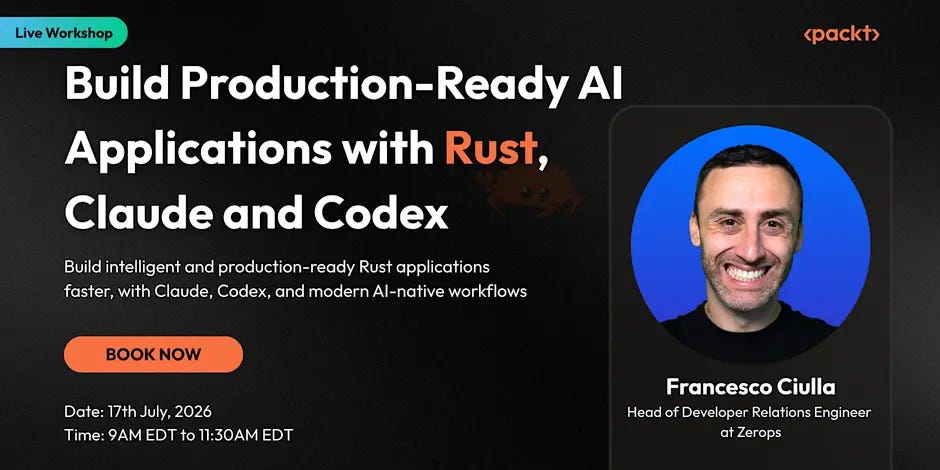
Rust is becoming a strong choice for building fast, reliable AI applications.
We are conducting a live workshop with Francesco Ciulla, you’ll learn how to use Claude and Codex to scaffold, debug, refactor, test, and ship production-ready Rust apps faster.
You’ll build a practical Rust application live while exploring AI-native workflows for backend setup, AI integrations, retrieval/chat systems, and production-ready engineering patterns.
This week’s news corner
iOS 27 Beta 1 is released: Apple has released iOS 27 Beta 1, giving developers their first hands-on look at the next generation of Siri and Apple Intelligence. The update introduces APIs and platform changes that enable deeper Siri interactions, more contextual app experiences, and expanded Apple Intelligence integrations, while also refining the Liquid Glass interface and core system apps.
Apple unveils Siri AI with deeper app integration and personal context: Apple has introduced Siri AI, bringing conversational interactions, on-screen awareness, and the ability to understand personal context from messages, emails, photos, and other app data. For iOS developers, the biggest opportunity lies in Siri’s expanded ability to take actions across apps and surface app content more intelligently, potentially making voice and AI interactions a key entry point into third-party experiences.
WWDC 2026 brings new AI-powered tools for apps, creativity, and productivity: At WWDC 2026, Apple unveiled a range of new AI-driven features, including enhanced image generation, smarter photo editing, improved writing tools, intelligent Shortcuts, and richer app experiences across iPhone and iPad. Developers can tap into new APIs and on-device AI capabilities to build more personalized, context-aware features directly into their apps.
SwiftUI gains 3D layouts, richer controls, and performance improvements: At WWDC 2026, Apple introduced major SwiftUI updates, including support for 3D layouts and spatial interfaces, making it easier to build immersive experiences across Apple platforms. The release also adds new controls, improved animation and scrolling APIs, enhanced interoperability with UIKit and AppKit, and performance optimizations that reduce code complexity.
Kotlin 2.4 and Koin Compiler 1.0 boost safety and developer productivity: Kotlin 2.4 introduces improvements across the language, compiler, tooling, and Kotlin Multiplatform ecosystem, helping developers build faster and more reliable applications. Complementing this, Koin Compiler 1.0 brings compile-time validation for dependency injection, reducing runtime errors and making Koin configurations type-safe through both DSL and annotation-based approaches.
Introducing AI Agents Simplified
AI Agents Simplified cuts through AI noise with clear, actionable breakdowns of agents, automation, and what’s actually worth your attention.
🌍 Trusted by 58,000+ subscribers worldwide
📬 New issues every week — no fluff, no hype
🧠 Built for curious minds, not just engineers
Want to feature your product to a highly engaged AI audience? Email to explore partnership options — Mention this newsletter and get a discount on your first sponsorship package.
Build Smarter iOS Apps with Apple’s Foundation Models Framework
Ever wished your iOS app could write for you? That’s exactly what Apple’s Foundation Models framework makes possible. Introduced at WWDC25 and now a centerpiece of the Apple Intelligence story, Foundation Models gives developers direct, on-device access to a powerful large language model — no cloud calls, no API keys, no latency spikes. The model lives right on the device, meaning it works even in airplane mode and keeps user data strictly private.
To see how it works in practice, we’ll walk through adding a Foundation Models-powered “Assist” screen to a journal app called JRNL. The screen lets a user type a short prompt — say, “a rainy afternoon hike in the hills” — and have the model draft a full journal entry. It’s a small feature, but it illustrates the full pattern you’ll use in any app that calls on this framework.
What Foundation Models Actually Does
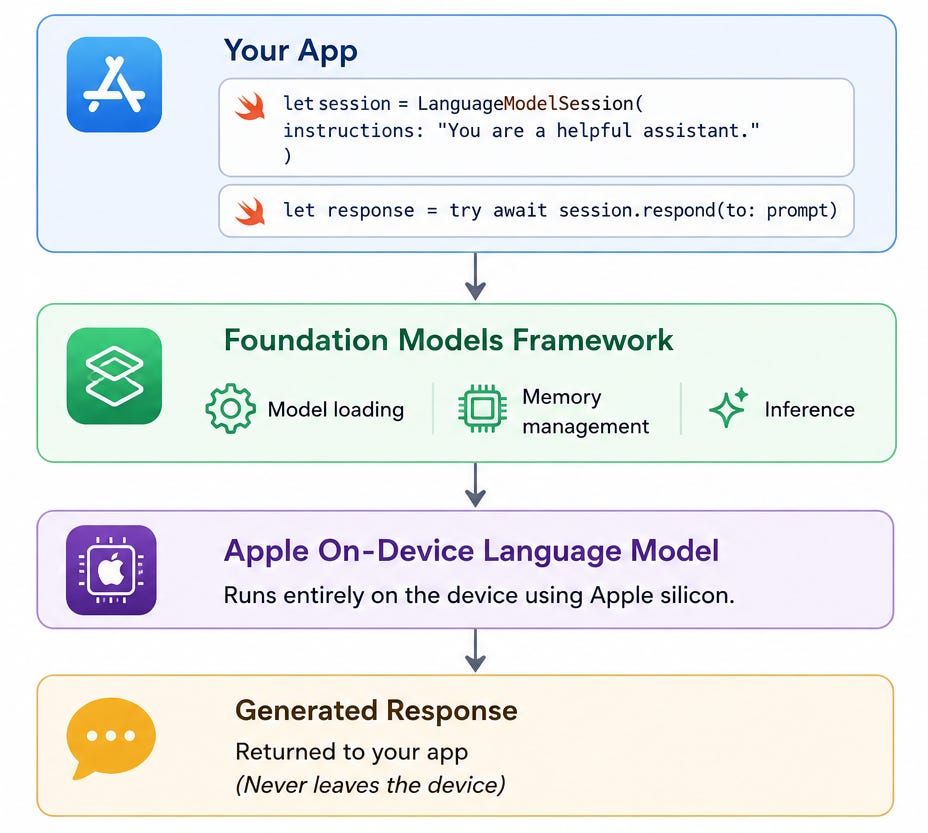
At its core, the Foundation Models framework exposes Apple’s on-device language model through a clean Swift API. You create a LanguageModelSession, optionally with a system-level instruction that shapes the model’s behavior, and then call session.respond(to:) with a user prompt. That’s it. The framework handles everything underneath: model loading, memory management, and inference.
Because the model runs locally, response times are fast and consistent. More importantly, user data — the prompts they type, the content they generate — never leaves the device. For categories like journaling, health, or finance, that privacy guarantee is not just a nice-to-have; it may be the reason a user chooses your app over a competitor’s.
One important caveat: not every device supports Apple Intelligence. Before calling into the framework, you need to check availability via SystemLanguageModel.default.availability. The availability enum covers three distinct failure states — device not eligible, Apple Intelligence disabled by the user, and model not yet downloaded — each of which calls for a different response in your UI.
Setting Up the Session
The first step is importing the framework and creating a session. In the JRNL example, the session is declared as a stored property on the view controller so it persists for the lifetime of the screen:
import FoundationModels
private let session = LanguageModelSession(

instructions: “Write a journal entry based on the user’s prompt.”)
The instructions: parameter is your system prompt — the framing that tells the model what role it is playing. Keep it concise and specific. A tightly-scoped instruction produces more predictable, on-brand output than a vague one.
Generating Text — Async All the Way Down
Text generation is an asynchronous operation, so your generation method must be marked async. A clean pattern is to isolate generation in its own private method that returns a plain String, making error handling easy and keeping your action handler readable:
private func generateResult(prompt: String) async -> String {
do {

let result = try await session.respond(to: prompt)

return result.content

} catch {

return “Could not generate content, please try again.”

}

}
In your button action, wrap the call in a Swift Task { } block and disable the button while the model is running so users can’t fire off duplicate requests. When the result arrives, assign it directly to your text view. The whole interaction — from button tap to displayed text — is typically well under a second on a capable device.
What to Build Next
Journaling is just one of many natural fits for this framework. Text summarization is an obvious next step — feed in a long entry and ask the model to produce a one-sentence recap for a timeline view. Extraction is another compelling use case: structured data like locations, people, or mood keywords can be pulled from free-form text without a regex in sight. You can also use the model to provide contextual suggestions — a workout app that drafts a reflection on your run, a recipe app that generates variations based on what’s in your fridge.
The key to getting good results is prompt engineering. The instructions: parameter is powerful — use it to set tone, length, format, and persona. Pair that with a well-crafted user prompt and you will be surprised how capable the on-device model is for focused, domain-specific tasks.
Apple’s documentation links straight from the framework header, and the WWDC25 session (developer.apple.com, session 286) walks through the architecture in depth. Start there, then experiment. The best way to develop an intuition for what the model can do is to give it a problem from your own app and see what comes back.
This week’s WWDC 2026 makes this story even more exciting. Apple unveiled next-generation Apple Foundation Models built in collaboration with Google’s Gemini — with a cloud-tier model described as matching Gemini’s frontier quality — alongside a completely rebuilt Siri AI capable of contextual, cross-app reasoning. Third-party developers can now build on models like Claude and Gemini directly within Xcode via new coding agents. It’s hard not to feel a sense of wonder at the pace of it all: what started as a simple on-device text-generation API at WWDC25 has, in a single year, grown into an open, multi-model, multi-cloud platform powering the next generation of Apple software. The Foundation Models you build with today are just the beginning.
📚 Go Deeper
If you’re looking to start your journey into iOS app development, iOS 26 Programming for Beginners by Ahmad Sahar offers a practical, hands-on introduction to building modern iPhone and iPad apps with Swift 6 and Xcode 26. Through a project-based approach, you’ll learn UIKit, data persistence, media integration, maps, Apple Intelligence, and the new Liquid Glass design system while creating a fully functional journal app from scratch.
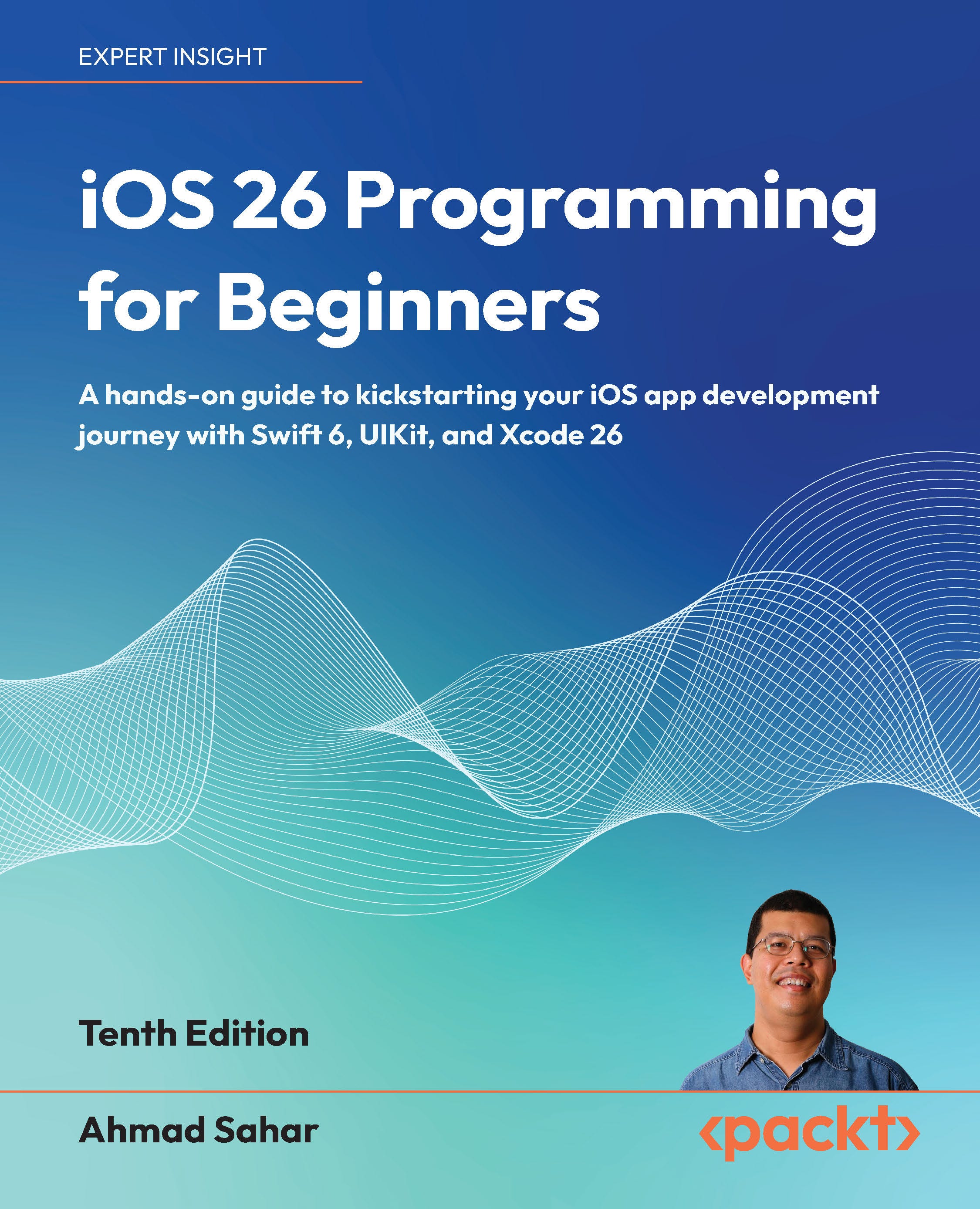
iOS 26 Programming for Beginners
🧑💻 Learn to integrate Apple Intelligence and the sleek new Liquid Glass UI for modern app experiences
🛠️ Have fun building your first iOS app and start your iOS programming career
📱 Establish a solid foundation with UIKit, testing, and deployment best practices
📢 Important: MobilePro is Moving to Substack
We’ll be moving MobilePro to Substack soon. From that point forward, all issues will come from packtmobilepro@substack.com.
To ensure uninterrupted delivery, please whitelist this address in your mail client. No other action is required.
You’ll continue receiving the newsletter on the same weekly cadence, and on Substack you’ll also gain more granular control over your preferences if you wish to adjust them later.
💭 Let’s Talk
When a new framework drops at WWDC, how quickly do you actually adopt it?
Reply and let me know.
Advertise with us
Interested in sponsoring this newsletter and reaching a highly engaged audience of tech professionals? Simply reply to this email and our team will get in touch with next steps.